Color for your work
Show design reviews, gradients, and dark interfaces in the color mode that suits where they’ll be watched.
MAC SCREEN RECORDER
Record your Mac with rich color, crisp detail, and compact files. Capture audio, trim, and save locally.
Free in this release · No recording time limit · No account
macOS 15+ · Apple silicon and Intel
Show design reviews, gradients, and dark interfaces in the color mode that suits where they’ll be watched.
Make text, diagrams, and interface details the focus of your recording.
Standard MP4s sized for storing, uploading, and sending—without hunting through codec settings.
COLOR MODES
Pick one of three modes in FlowCap before you record.
How a recording looks depends on the display, the player, and any re-encoding by the platform you upload to. Check the saved file where you plan to share it.
EFFICIENT ENCODING
Start with Balanced. Choose HEVC for efficient encoding or H.264 for broader playback compatibility.
File size and detail depend on your content, resolution, motion, and settings.
RECORD WHAT YOU NEED
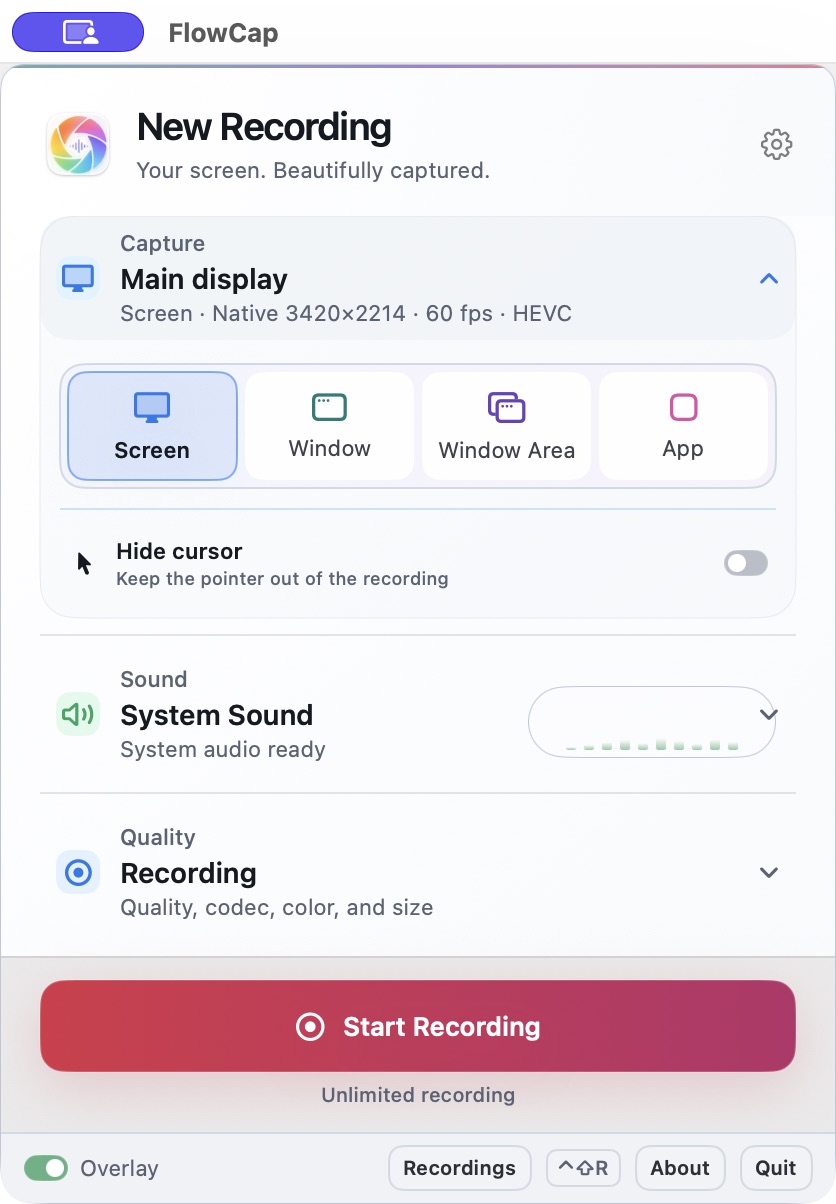
Capture a screen, window, area inside a window, or app. Record system audio, your mic, or both—without a virtual audio driver. Pause, resume, and stop from on-screen controls. Start or stop with the keyboard shortcut.
Recording sound and voice? Use headphones to avoid echo.
AFTER YOU HIT STOP
Review your clip, choose the part to keep, and save a separate trimmed MP4. Your original recording stays unchanged.
No account. FlowCap doesn’t upload your recordings. You decide what to share.